Use of Trademarks, Registered Trademarks, and other Protected Names and Symbols
This manual may make reference to trademarks, registered trademarks, and other protected names and/or symbols of third-party companies not related in any way to
StarTech.com.WheretheyoccurthesereferencesareforillustrativepurposesonlyanddonotrepresentanendorsementofaproductorservicebyStarTech.com,oranendorsementoftheproduct(s)
towhichthismanualappliesbythethird-partycompanyinquestion.Regardlessofanydirectacknowledgementelsewhereinthebodyofthisdocument,StarTech.comherebyacknowledgesthatall
trademarks,registeredtrademarks,servicemarks,andotherprotectednamesand/orsymbolscontainedinthismanualandrelateddocumentsarethepropertyoftheirrespectiveholders.
Technical Support
StarTech.com’slifetimetechnicalsupportisanintegralpartofourcommitmenttoprovideindustry-leadingsolutions.Ifyoueverneedhelpwithyourproduct,visitwww.startech.com/supportandaccess
ourcomprehensiveselectionofonlinetools,documentation,anddownloads.Forthelatestdrivers/software,pleasevisitwww.startech.com/downloads
Warranty Information
Thisproductisbackedbyalifetimewarranty.
Inaddition,StarTech.comwarrantsitsproductsagainstdefectsinmaterialsandworkmanshipfortheperiodsnoted,followingtheinitialdateofpurchase.Duringthisperiod,theproductsmaybereturned
forrepair,orreplacementwithequivalentproductsatourdiscretion.Thewarrantycoverspartsandlaborcostsonly.StarTech.comdoesnotwarrantitsproductsfromdefectsordamagesarisingfrom
misuse,abuse,alteration,ornormalwearandtear.
Limitation of Liability
InnoeventshalltheliabilityofStarTech.comLtd.andStarTech.comUSALLP(ortheirocers,directors,employeesoragents)foranydamages(whetherdirectorindirect,special,punitive,incidental,
consequential,orotherwise),lossofprots,lossofbusiness,oranypecuniaryloss,arisingoutoforrelatedtotheuseoftheproductexceedtheactualpricepaidfortheproduct.Somestatesdonotallow
theexclusionorlimitationofincidentalorconsequentialdamages.Ifsuchlawsapply,thelimitationsorexclusionscontainedinthisstatementmaynotapplytoyou.
Installation Continued
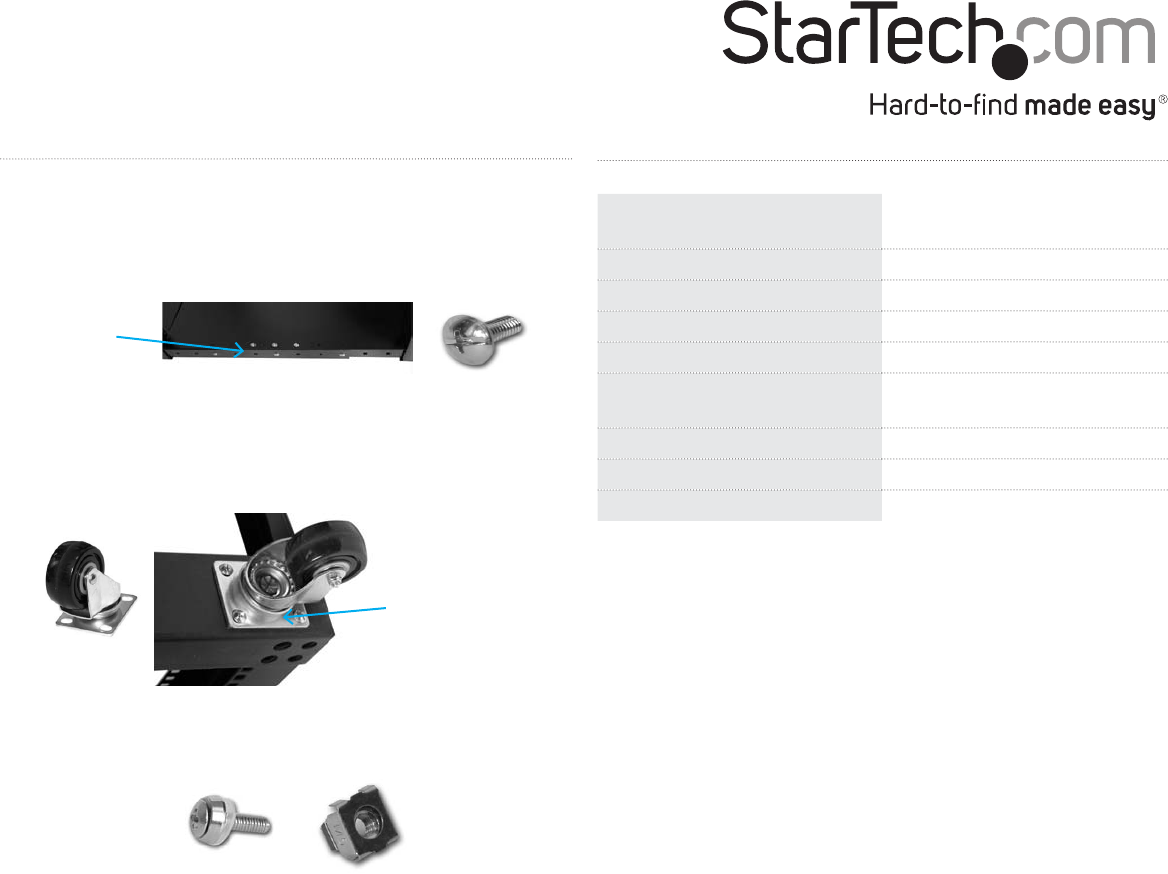
6. Placetheoorplatesoverthebottomoftherack.Oneoorplate
hasonlyone“ap”alongtheside.Youcanoverlapthisoorplate
overtheotherwhennecessary.Securetheoorplatestotherack
fromthetop.
7. Securethecompletedrack.Bolttheassembledrackintothe
groundorinstallthecasters(StarTech.comID:4POSTCASTER).If
youareboltingtherack,thetypeofboltyouusewilldependon
theoormaterial.
8. Installyourrackmountequipment.Usingtherackmountcabinet
screwsandcagenuts,installyourrackmountequipmentintotherack.
Secureoor
plates
Securecastersto
bottomofrack
Specications
Description
DuraRak42UAdjustable4Post
OpenFrameEquipmentRack
Colour Black
Materials SPCC(2.0mm)
Weight Capacity 450kg
Dimensions (W x H) 571.0mmx1981.2mm
Minimum/Maximum
Mounting Depth
596.9mm/800.1mm
Net Weight 48kg
Standards EIA-310C/D
Certications UL,CE,RoHS

 (2 strony)
 (2 strony)
 Manymanuals.com
 Manymanuals.de
 Manymanuals.fr
 Manymanuals.it
 Manymanuals.pl
 Manymanuals.cz
 Manymanuals.es
 Manymanuals-pt.com
Komentarze do niniejszej Instrukcji