Startechcom USBVGADOCK2 Instrukcja Użytkownika Strona 7
- Strona / 15
- Spis treści
- BOOKMARKI

- VGA Audio Ethernet 1
- Table of Contents 3
- Introduction 4
- Rear View 5
- Side Views 5
- Installation 6
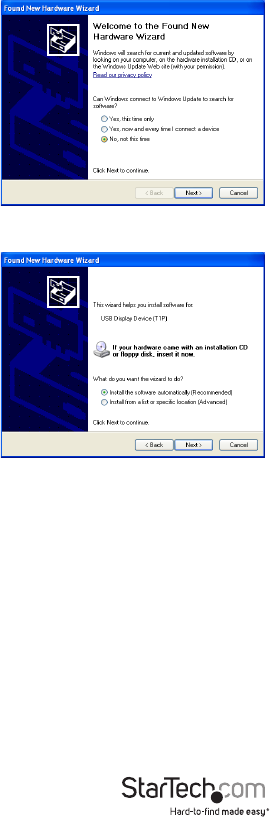
- Instruction Manual 7
- Verifying Installation 8
- Display ID 9
- Display Resolution 9
- Display Rotation 9
- Display Modes 10
- Identify Monitors 11
- Multi-Display Control Panel 11
- Display Settings 11
- Supported Video Resolutions 12
- Specications 13
- Technical Support 14
- Warranty Information 14
Powiązane produkty i podręczniki dla Akcesoria komputerowe Startechcom USBVGADOCK2
 (10 strony)
© 2020, manymanuals.pl. Wszelkie prawa zastrzeżone. | 0.019 s |
 Manymanuals.com
 Manymanuals.de
 Manymanuals.fr
 Manymanuals.it
 Manymanuals.pl
 Manymanuals.cz
 Manymanuals.es
 Manymanuals-pt.com
Komentarze do niniejszej Instrukcji